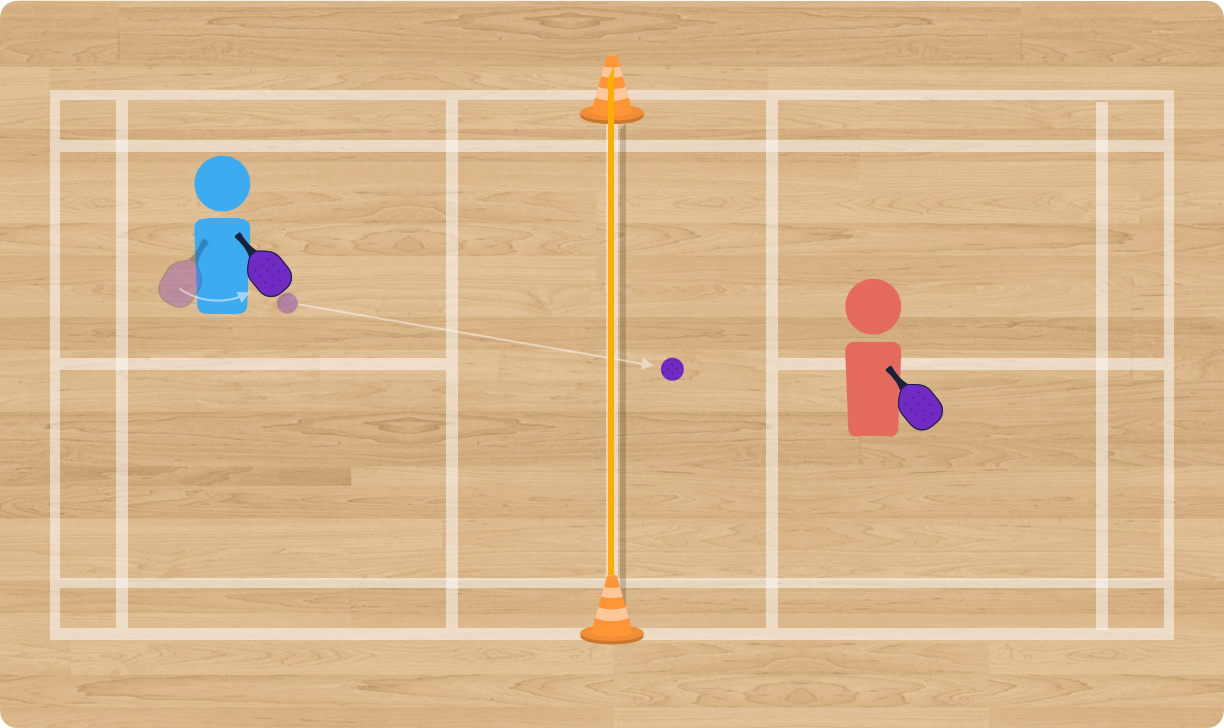
Moveminton is an online net and wall game designed for your virtual physical education lessons. The game helps students develop their understanding of how to create and attack open space in net and wall game situations.
Moveminton Template (available in Moveminton Game Pack)
Attacking Open Space Assessment Sheet (available in Moveminton Game Pack)
Prior to the game, the class should review the guidelines for responsible and respectful online behaviour.
Here is how I would set this game up for my virtual learners in physical education.
Think of each copy of the Moveminton Google Slides slide as its own court. Prior to the lesson, I would copy and paste the slide so that I had as many courts as I needed, for example ten courts for twenty students.
In my virtual learning video platform, I would share the Google Slides link with the students, making sure the sharing settings allow all students to view and edit the document.
I would then divide my class into breakout rooms so that only two students were in each room. Based on which breakout room two students find themselves in, they play using the matching slide number in the document.
I would then jump from slide to slide watching play unfold. When I saw something interesting happen in a game, I would join that breakout room to discuss the tactical reasoning behind the play.
Hand this to a sub and walk away. Printable pages for every build, diagrams, discussion questions, teacher notes, and assessment ideas. All in one ready-to-print package so there's no sub plan to write.
#PhysEdU Plus includes instant access to every printable game sheet in ThePhysicalEducator.com's games database. $49 a year.
Builds allow you to increase the game's complexity, one layer at a time.
Players play the game using the rules described in How To Play.
Players play again, except now their Player Icon resets to the centre square of their playing area at no Move Point cost each time they successfully send the ball over the net.
Players should pay attention to how resetting to centre affects the game, their Move Points, and their Strike Points.
The idea is to help players understand the tactical advantage of returning to a central position after each shot, which reduces the amount of open space on their court.
In this build, remove the up, down, forward and backward only rule for Player Icon movement.
Players may now move their Player Icon diagonally on their court, which saves Move Points.
The idea of this build is to help students understand the value of efficient movement on the court, such as pivoting and shuffling.
Players continue with all previous rules in place. However, when possible, players say out loud which badminton shot they would use to send the ball where they want it to go.
The idea is to have students begin to think about which shot to use based on where they intend to send the ball, and where both players are located on the court.
This build should only be used after the various badminton shots have been introduced to students.
Print the game sheet, leave it on your desk, and your sub has everything they need: the diagrams, the builds in order, what to say, and what to watch for. This one is $4. #PhysEdU Plus members get all 39, free forever, for $49 a year.
Games that build on the same tactics.